Overview and video
Little Logistics is a mod for Minecraft Forge focused on efficient, affordable, long-distance transport. This guide does not cover recipes; use JEI or a similar recipe viewer for crafting information.
Video guide
Bit-By-Bit by Mischief of Mice:
In-game book
Install Patchouli to access the in-game version of this legacy guide. The book is crafted shapelessly using a book, a chest, and a compass.

Vessels
There are two types of vessels: tugs and barges. Tugs move linked barges, while barges perform specialised jobs or carry cargo. Tugs can also be moved manually using leads.
Tugs
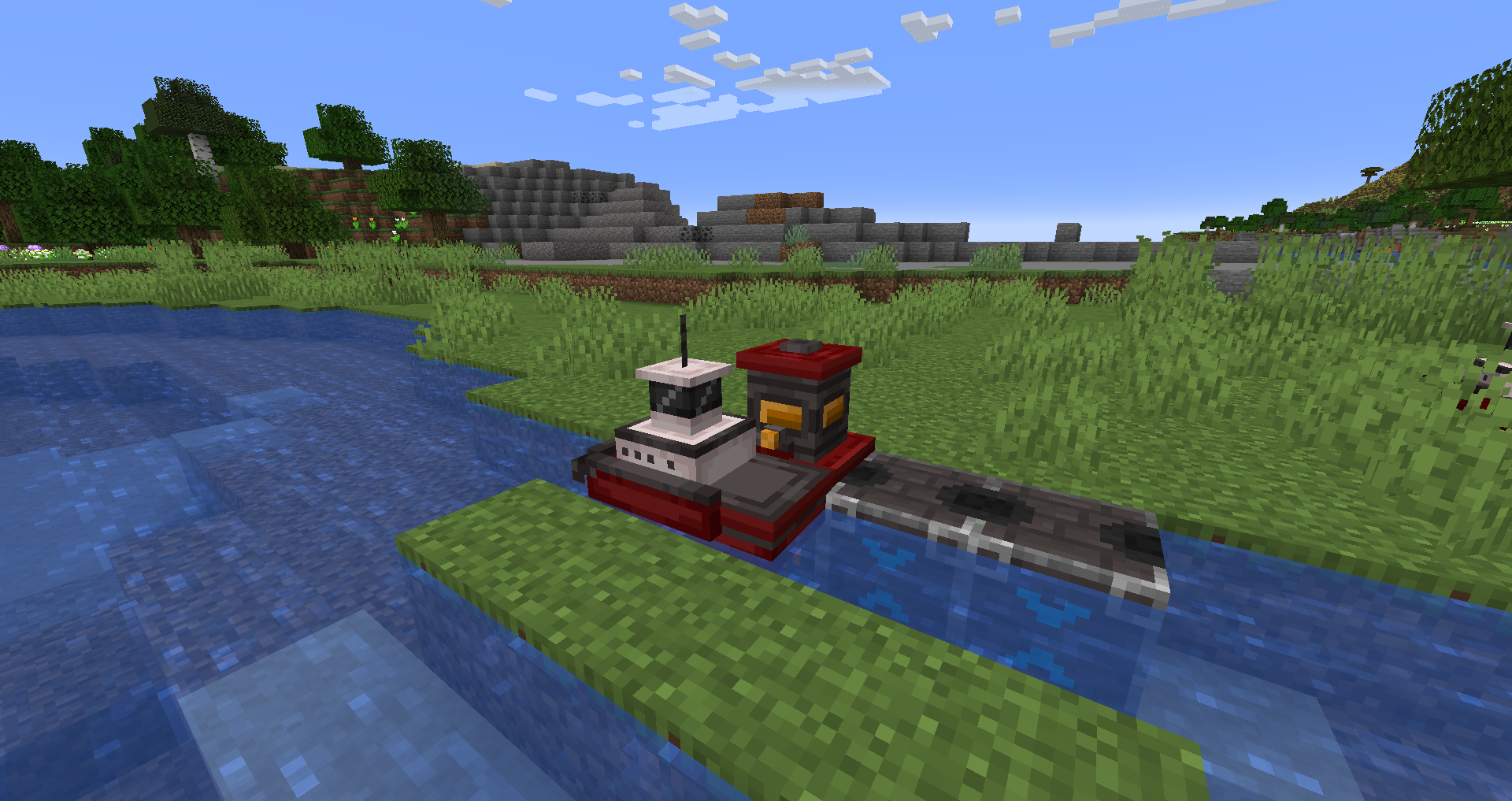
Steam Tug
A basic tugboat that operates on any furnace fuel. Fuel can be loaded with hoppers placed on top of tug docks.

Energy Tug
A tugboat powered by Forge Energy. It can be charged while docked with a Vehicle Charger. The tug has an extra capacitor slot, useful if it runs out of energy away from a station.
Tug Route
This item stores a route for the tug. When placed in the tug's route slot, the tug follows the route in order from node 0. Right-click at any coordinate to add a node to the back of the route. Right-click an existing node to remove it. Sneak-right-click to open the menu for reordering or renaming nodes. Copy a route by crafting it together with an empty route item.
Barges
Chest Barge
A simple cargo barge, similar to a vanilla chest minecart. It must be docked and part of a tug convoy to interface with hoppers.

Seater Barge
A simple barge that seats one player.
Auto-Fishing Barge
Performs fishing passively using the vanilla fishing-rod loot table. It needs open water for its nets to deploy. It can be unloaded with hoppers and barge docks and must be docked as part of a tug convoy to interface with hoppers.
The barge has shallow-water and overfishing penalties, so it works best on long ocean routes. Yield is maximised when the water is at least 20 blocks deep. Overfishing is tracked per barge and block; routes of 200 blocks or more should be sufficient to avoid it.
Chunk Loader Barge
Keeps a 3×3 area of chunks centred on the entity loaded. Recommended for long-distance routes.

Fluid Tank Barge
Transports fluids and can be loaded or unloaded with Fluid Hoppers.
Linking vessels
Right-click vessels with a Vehicle Chain, in order, to create a convoy. A convoy can have only one tugboat and cannot contain loops.
Water guide rails
Tug Guide Rail
Place it below a block of water. It works similarly to a vanilla powered rail and can force a tug to take a specific path. It does not affect barges. Sneak-right-click to rotate it.
Vessel Corner Guide Rail
Assists vessels around sharp corners. Use it near narrow-waterway entrances and old docks. It affects both tugs and barges. Sneak-right-click to flip direction. Do not place a full solid block directly above it; fences and signs are acceptable.
Docking vessels
Legacy versions have separate Tug Dock and Barge Dock blocks. A Tug Dock must be present for Barge Docks to work. Align the Tug Dock's top texture with a straight, gapless line of Barge Docks. Sneak-right-click the Tug Dock to reverse the docking direction.
The Tug Dock inserts into the tug in orange/output mode; place a hopper on top to extract. Barge Docks insert in orange/output mode and extract in blue/input mode. Sneak-right-click to switch modes. Place a hopper below the water block next to a Barge Dock to extract. Build the dock beside a one-block-wide canal, because wider canals may prevent accurate docking.
Trains
Little Logistics trains operate on vanilla rails but use custom linked vehicle entities instead of minecarts.
Locomotives
Locomotives pull train cars. A train should have exactly one locomotive.
Steam Locomotive
Operates on any furnace fuel and can be loaded with hoppers.

Energy Locomotive
Uses Forge Energy from any mod and can be charged with a Vehicle Charger.

Train cars
Train cars resemble minecarts but can be linked to locomotives and docked.
Standard Train Car
Seats one player or mob.

Chunk Loader Train Car
Loads a 3×3 chunk area while travelling. Speed limits are enforced to avoid server lag.
Chest Train Car
Works like a vanilla chest minecart and can be loaded or unloaded using vanilla hoppers or the Rapid Hopper from this mod.
Fluid Tank Train Car
Transports fluids and can be loaded or unloaded using Fluid Hoppers.

Train linking
Link trains with Vehicle Chains. Vehicle orientation updates automatically.
Train docking
Dock trains using a combination of Locomotive Docking Rails and Train Car Docking Rails. Line up the docking rails as shown below, place unloaders below the rails, and loaders on either side. Blue mode unloads and orange mode loads.
The rails tell the locomotive to wait while anything remains to be transferred. A redstone signal applied to the Locomotive Docking Rail makes the locomotive wait regardless of transfer state.
Junctions and routing
Redstone-controlled junction rails
Standard Switch and T-Junction tracks can be switched with redstone. Powered rails work well when building loops.
Automatic junction rails and routing
Automatic switch tracks are controlled by a locomotive carrying a route. When approaching an automatic junction, the locomotive looks for the closest unvisited waypoint and switches the track accordingly. Waypoints are configured with the Locomotive Route item and are not ordered in these releases.
Locomotive collision avoidance
Locomotives have built-in collision detection designed for junctions. Their AI assigns priority automatically to avoid collisions.
Locomotive speed
Locomotives control their speed automatically. They travel faster on long straight track and slow down near docks, junctions, and corners.
Interfacing with vehicles
To complement vanilla hoppers, legacy Little Logistics releases include several specialised interface blocks.
Rapid Hopper
A vanilla-style hopper that transfers items eight times as fast.

Vehicle Charger
Charges an Energy Tug or Energy Locomotive. Connect any Forge Energy cable to it, then place it on top of a dock or beside a rail.
Fluid Hopper
A hopper for fluids. It imports from the top, exports from the sides, accepts buckets by right-click, and loads or unloads vessels through old docks.

Vehicle Detector
Emits a redstone signal from the back when it detects a vehicle. Right-click to display its detection range.
